The following Google Apps Script is my first look at accessing an API and handling the data that comes back. I am using Numbers API to return a random maths fact and append it to a Google Sheet.
API Url: http://numbersapi.com/random/math
We use the 'UrlFetchApp' to then call the API and 'getContentText' to store the returned data. From there we can simple 'appendRow' in the spreadsheet to build up a list each time we run the function.
Tuesday, 25 February 2020

Tuesday, 18 February 2020
Bulk create test folders/files in Google Drive
The following Google Apps Script is designed to bulk create a set number of Google Drive folder/files as quickly as possible. Its purpose was to support a bigger project I was working on with bulk moving folders/files from My Drive to Shared Drive.
The script makes use of 4 'loops' with the option to define how many folders/files you want to create at each level. There is an initial top row of folders each with files, then a row of sub-folders under this each with files too.
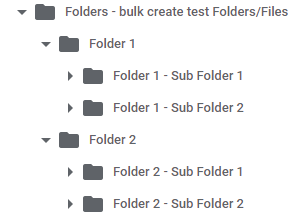 |
| Screenshot of example folder structure in Google Drive |
The script makes use of 4 'loops' with the option to define how many folders/files you want to create at each level. There is an initial top row of folders each with files, then a row of sub-folders under this each with files too.
Tuesday, 11 February 2020
Create a slide down panel in jQuery
The following jQuery code creates a clickable area that then slides down a panel with further information displayed.
The 2 panels are created with different 'div' tags so that a 'click' method can be assigned to the first (topbar) which then initiates the 'slideDown' method on the second (panel). Some CSS styling is applied for 'padding', etc.
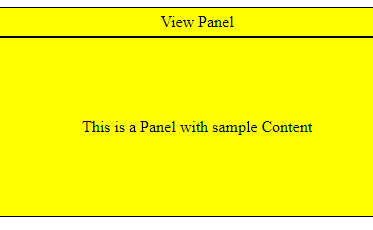 |
| Screenshot of side panel with extra content |
Tuesday, 4 February 2020
Create buttons to hide/show text in jQuery
The following jQuery code is designed to have 2 buttons - 1 which hides the webpage text and the other which shows it again.
Each button has its own 'id' name depending on which task it will perform: show or hide. We use the '#id Selector' to target each id and use the 'click' method to either 'show/hide' all elements within a paragraph (<p>) tag.
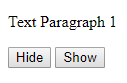 |
| Screenshot of show/hide buttons |
Tuesday, 28 January 2020
Display an alert box on mouse enter in jQuery
The following jQuery code is designed to create an alert dialogue box in the browser when the mouse passes over a particular element on the webpage.
In this example we assign the 'id' p1 to the paragraph element so that we can target it for the 'mouseenter' action. We then create an 'alert' message box in the browser with some custom text.
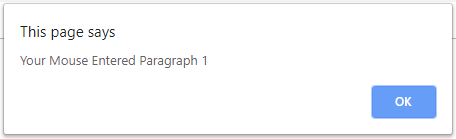 |
| Screenshot of mouse-over alert box |
Tuesday, 21 January 2020
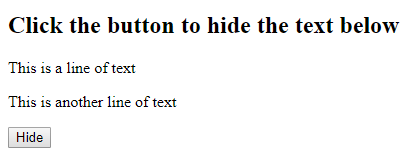
Hide text with a button in jQuery
Monday, 13 January 2020
Bulk save emails from Gmail - overview
The following Google Apps Script is designed to bulk save emails (and associated attachments) from a specified Gmail label into a Google Drive folder, with relevant threads combined into a single PDF document. The tool is set to automatically schedule itself by default as the process can take well over an hour depending on the length/number of emails to save.
 |
| Screenshot of setup sheet for tool |
Bulk save emails from Gmail - the code
Following on from the overview blog post, here I have included the code itself from which the tool is built.
Subscribe to:
Posts (Atom)