Tuesday, 24 March 2020

Batch add data to an SQL Table in Apps Script

The following code combines Google Apps Script and SQL to insert a Google Sheet of data into an existing SQL Table in batches, rather than row-by-row, to greatly improve performance. This post improves upon this one for bulk adding data.

By using the 'addBatch' method we can collate each row of student data into a single SQL statement that can be used to connect to the database once and execute multiple times. In order to do this we use 'prepareStatement' to which we can then feed in our values
var stmt = db.prepareStatement("INSERT INTO students (StudentNo, FirstName, LastName, Shoesize) "
                                 + "VALUES (?, ?, ?, ?)");

Tuesday, 17 March 2020

Create a Tickbox to select all other Tickboxes

The following Google Apps Script is designed to enable a select-all Tickbox within Google Sheets so that multiple Tickboxes can be un/ticked by clicking just the one. In this example there are 3 master Tickboxes which will un/tick a selection of others based on the specified ranges.
Screenshot of Google Sheet with Tickboxes

Tuesday, 10 March 2020

Animate an element in jQuery

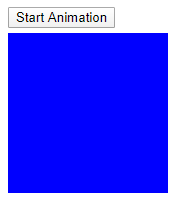
The following jQuery code animates a square box by sliding it across the webpage after clicking a button.
Screenshot of button and square to animate
The blue square is created by using CSS styling. Clicking the button then applies the 'animate' method to the #square 'div' moving it a set distance across the webpage (800px in this example) at a speed of 1 second.

Tuesday, 3 March 2020

Search for artist in iTunes API

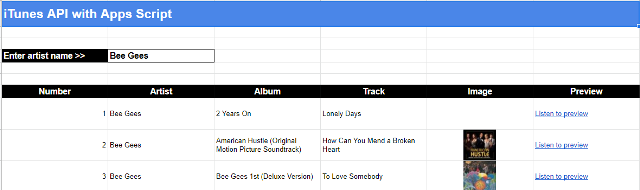
The following Google Apps Script takes the name of an artist from a Google Sheet, passes it to the iTunes API and returns a list of albums, song titles, artwork, etc all formatted into a Google Sheet table.
Screenshot of artist details in Google Sheet table

Tuesday, 25 February 2020

Access Numbers API for maths fact

The following Google Apps Script is my first look at accessing an API and handling the data that comes back. I am using Numbers API to return a random maths fact and append it to a Google Sheet.

API Url: http://numbersapi.com/random/math

We use the 'UrlFetchApp' to then call the API and 'getContentText' to store the returned data. From there we can simple 'appendRow' in the spreadsheet to build up a list each time we run the function.

Tuesday, 18 February 2020

Bulk create test folders/files in Google Drive

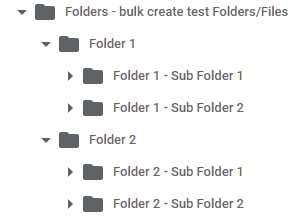
The following Google Apps Script is designed to bulk create a set number of Google Drive folder/files as quickly as possible. Its purpose was to support a bigger project I was working on with bulk moving folders/files from My Drive to Shared Drive.
Screenshot of example folder structure in Google Drive

The script makes use of 4 'loops' with the option to define how many folders/files you want to create at each level. There is an initial top row of folders each with files, then a row of sub-folders under this each with files too.

Tuesday, 11 February 2020

Create a slide down panel in jQuery

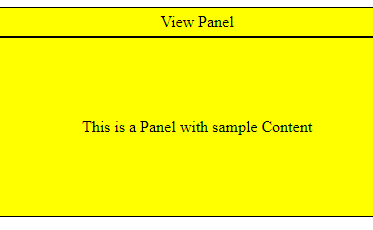
The following jQuery code creates a clickable area that then slides down a panel with further information displayed.
Screenshot of side panel with extra content
The 2 panels are created with different 'div' tags so that a 'click' method can be assigned to the first (topbar) which then initiates the 'slideDown' method on the second (panel). Some CSS styling is applied for 'padding', etc.

Tuesday, 4 February 2020

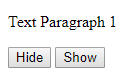
Create buttons to hide/show text in jQuery

The following jQuery code is designed to have 2 buttons - 1 which hides the webpage text and the other which shows it again.
Screenshot of show/hide buttons
Each button has its own 'id' name depending on which task it will perform: show or hide. We use the '#id Selector' to target each id and use the 'click' method to either 'show/hide' all elements within a paragraph (<p>) tag.